Live preview
Live preview is a simple way to see the rendered version of your Markdown from any web browser.
- Run
mm live-previewin your docset's source folder - This process starts a local HTTP server
- You can visit the URL it provides for a live preview of the page HTML for your docs
- When you save changes to your Markdown files, the live preview server propagates fresh HTML to that web page (without you having to reload the page)
- Optionally, use a text editor extension for additional integration (eventually)
Examples
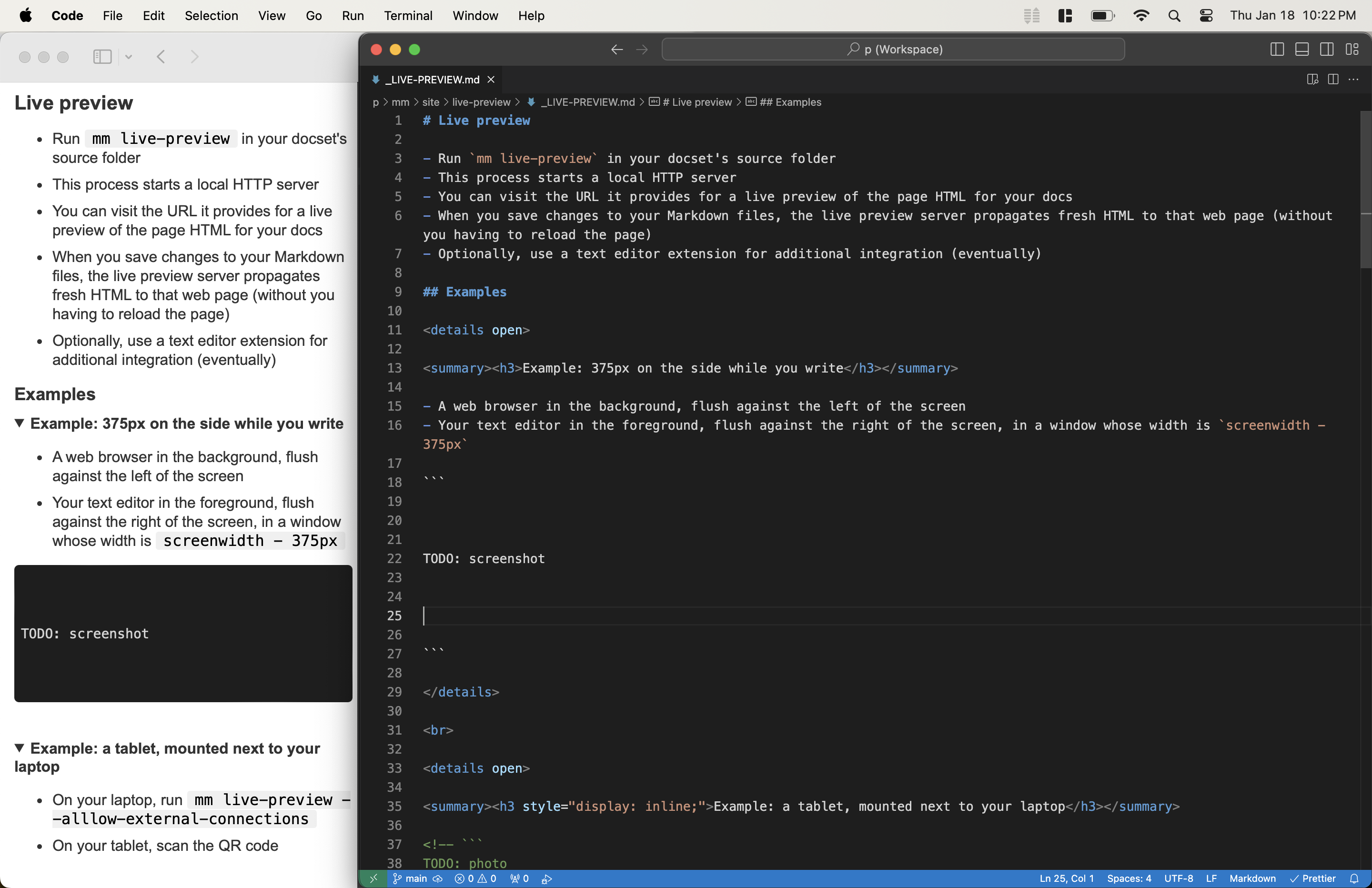
Example: 375px on the side while you write
- A web browser in the background, flush against the left of the screen
- Your text editor in the foreground, flush against the right of the screen, in a window whose width is
screenwidth - 375px
Example: a tablet, mounted next to your laptop
- On your laptop, run
mm live-preview --alllow-external-connections - On your tablet, scan the QR code
Propagating changes
“…properly propagated.
— Prison Break, season one
- Properly propagated?
- Properly propagated.”
Propagating changes from your Markdown to the preview
When you save changes to your Markdown files, the live preview server propagates fresh HTML to that web page (without you having to reload the page).
A text editor extension could eventually provide additional propagation in this direction, e.g.:
- update after each edit, not just each save
- scroll to the section currently being edited
Propagating changes from the preview to your Markdown
Some of the plugins and external-tool integrations will eventually support propagating changes from the preview page, to the mm live-preview process, to a VSCode extension, and finally to the Markdown file you're editing.
- e.g. use a MIDI keyboard to play through (with "training wheels") a morsel of sheet music, and have the note timings and intensities logged in the same
lang=unicode-piano-rollCodeBlock - Fine-tune your page-specific CSS overrides via your browser's developer tools, and have that CodeBlock:css get updated live
- Adjust an Excalidraw diagram, have the JSON in its
info_string="json excalidraw"CodeBlock updated live
Running it
alias lp='MarkdownMesh live-preview --tls --allow-external-connections'
cd md/ && lp
See Command-line tool § live-preview for options.